Skip to content
LensVid
 
Home of photography oriented videos
  • Home
  • LensVid Exclusive
  • Photo Gear
    • DIY Gear
    • How Do They Make It
    • New Products
    • Gear Guides
    • Product Reviews & Previews
    • HDSLR
    • Interviews
    • Photo-Technology
    • Photography Commercials
  • Technique
    • DIY
    • Photo Tips
    • HDSLR
    • Lighting
    • Food Photography
    • Macro Photography
    • Landscape photography
    • Product Photography
    • Photography as a Business
    • Fashion & Beauty Photography
  • Post Processing
    • Photoshop
    • Lightroom
    • Premiere Pro
    • Photoshop Elements
    • Other Software
    • Apple Aperture
  • Photo Inspiration
    • Photographers
    • Photography Humor / Fun
    • Behind the Scenes
    • Photo Art
    • TED
    • Timelapse
  • About LensVid
    • Contact Us
    • About LensVid
    • LensVid Advisor
  • Send us your video!
  • More
    • Menu
    • Search
    • Menu
    LensVid
     
    Home of photography oriented videos
    • Search

    Aaron Nace

    Aaron Nace is the founder of the popular tutorial platform PHLEARN. His videos cover different aspects of editing images using Photoshop and Lightroom as well as video editing using Premiere Pro and After Effects. Aaron Nace also covers on PHLEARN photography techniques and behind the scenes of commercial and artistic photography and interviews with different photographers.
    How Best Cull Your Images in Lightroom

    by Iddo GenuthLightroomPost ProcessingJanuary 23, 2017January 23, 2017

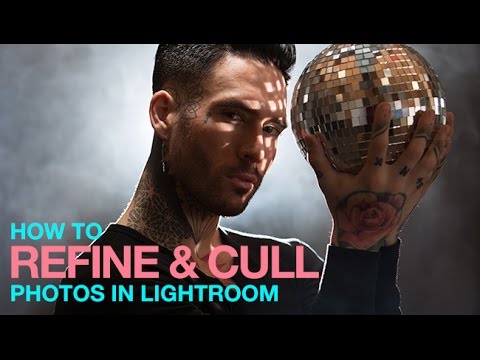
    On this video tutorial Aaron Nace from Phlearn demonstrates how to choose the best images to deliver to a client or display in your portfolio using Lightroom. So you are done with your…

    How to Add a Colored Background to a Portrait in Photoshop

    by Iddo GenuthPhotoshopPost ProcessingDecember 22, 2016

    On this video tutorial Aaron Nace from Phlearn demonstrates how to add (or change) a colored background to an image using Photoshop. This one is pretty straightforward. You have an image but for…

    How to Cut Out Hair in Photoshop with the Brush Tool

    by Iddo GenuthPost ProcessingNovember 29, 2016December 22, 2016

    On this video tutorial Aaron Nace from Phlearn demonstrates how to use the brush tool in Photoshop to perfectly cut hair. Cutting hair is probably one of the most difficult tasks in…

    How to Use Vector Masks in Photoshop

    by Iddo GenuthPhotoshopPost ProcessingNovember 16, 2016November 16, 2016

    this video Aaron Nace from Phlearn demonstrates how to use vector masks in Photoshop. Most advanced Photoshop users are very well acquainted with layer masks. A vector mask is a little bit…

    3 Tips for Editing Children’s Photos in Photoshop

    by Iddo GenuthPhotoshopPost ProcessingNovember 4, 2016November 4, 2016

    this video Aaron Nace from Phlearn demonstrates three simple tips for editing images with children in Photoshop. On this video Nace looks at three things each can be used in and photo…

    How to Add Motion Blur to Backgrounds in Photoshop

    by Iddo GenuthPhotoshopPost ProcessingOctober 29, 2016October 29, 2016

    this video Aaron Nace from Phlearn demonstrates how to add motion blur for images with some movement in them. The process here is pretty simple – you start by removing the subject…

    6 Photoshop Tips & Tricks to Increase Your Productivity

    by Iddo GenuthPhotoshopPost ProcessingOctober 7, 2016October 7, 2016

    On this video Aaron Nace from Phlearn gives six useful tips that should help you be more productive when using Photoshop. Here are the simple but useful six tips: Add more “undo”…

    How to Create a Before/After Animated GIF in Photoshop

    by Iddo GenuthPhotoshopPost ProcessingOctober 3, 2016October 3, 2016

    On this video tutorial Aaron Nace from Phlearn shows how to create a cool before and after GIF of an image that you can post to social media to demonstrate your editing…

    Create Soft and Dreamy Photos in Photoshop

    by Iddo GenuthPhotoshopPost ProcessingSeptember 5, 2016September 5, 2016

    On this video tutorial Aaron Nace from Phlearn shows how to create a very soft and dreamy look to an image in Photoshop. When you have soft light sources (white images are ideal)…

    How to Remove People and Objects from the Background in Photoshop

    by Iddo GenuthPhotoshopPost ProcessingAugust 30, 2016

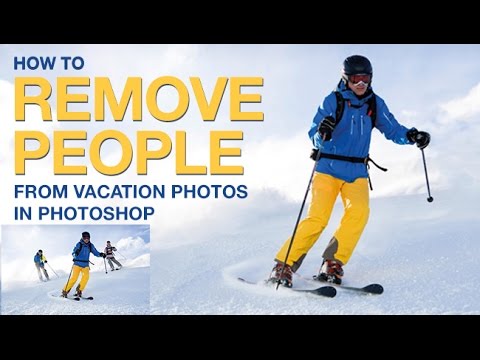
    On this basic but important video tutorial Aaron Nace from Phlearn look at several different tools for removing people (and objects) from images in Photoshop. There are many ways to remove unwanted…

    Post navigation

    Older Entries
    Newer Entries

      Join our newsletter!


      Quick Links

      • Home
      • About LensVid
      • Contact Us
      • Why should you trust us?
      • Powered by FirstImpression.io

      About

      • LensVid Exclusive
      • Photo Gear
      • Post Processing
      • Technique
      • Photo Inspiration
      • LensVid Advisor

      Customer Service

      • Privacy Policy
      • DMCA Policy
      © Copyright 2026 by LensVid. All Rights Reserved.
      LensVid
       
      Home of photography oriented videos
      • Create a Menu in Menus and assign it as Hidden Menu in Theme Location
      Photoshop,Post Processing
      This website uses cookies to improve your experience. We'll assume you're ok with this, but you can opt-out if you wish. Cookie settingsACCEPT
      Privacy & Cookies Policy

      Privacy Overview

      This website uses cookies to improve your experience while you navigate through the website. Out of these cookies, the cookies that are categorized as necessary are stored on your browser as they are essential for the working of basic functionalities of the website. We also use third-party cookies that help us analyze and understand how you use this website. These cookies will be stored in your browser only with your consent. You also have the option to opt-out of these cookies. But opting out of some of these cookies may have an effect on your browsing experience.
      Necessary
      Always Enabled
      Necessary cookies are absolutely essential for the website to function properly. This category only includes cookies that ensures basic functionalities and security features of the website. These cookies do not store any personal information.
      Non-necessary
      Any cookies that may not be particularly necessary for the website to function and is used specifically to collect user personal data via analytics, ads, other embedded contents are termed as non-necessary cookies. It is mandatory to procure user consent prior to running these cookies on your website.
      SAVE & ACCEPT