On this video tutorial photographer Glyn Dewis looks at adding a realistic looking texture to a grey background in Photoshop. So the trick that Dewis is demonstrating in this video which is going…
On this video photographer Glyn Dewis takes a look at a great technique for realistic skin smoothing that maintains skin texture and gives the user total control of the final result in Photoshop. Skin…
On this video photographer Glyn Dewis looks at adding a realistic looking smoke in two ways using in Photoshop. The first is quite old – using the clouds filter (on a new layer)…
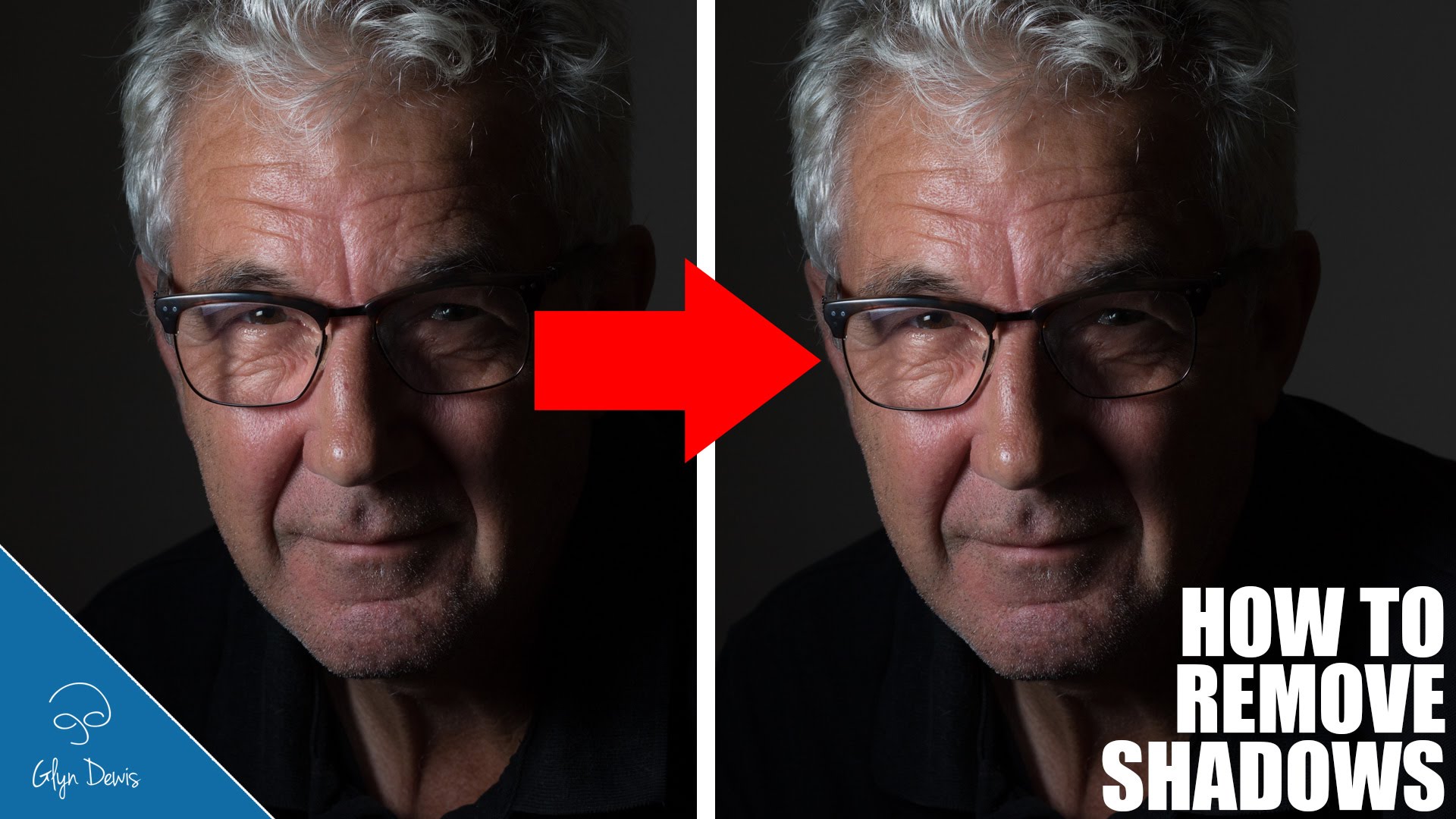
On this video photographer Glyn Dewis looks at removing shadows from a portrait using a technique known as frequency separation in Photoshop. In the image Dewis works on for this video there is…
On this video photographer Glyn Dewis looks at how to do good cut outs out of gree/blue screen in Photoshop. You might think that doing a cut out off a green/blue screen is…
On this quick video photographer Glyn Dewis shows how to quickly change colors in an image in Photoshop. So the trick here is to choose a hue and saturation adjustment layer and…
On this quick video photographer Glyn Dewis shows how to use a libraries in Photoshop in order to make your workflow that much quicker. Adobe added libraries to the creative cloud last…
On this quick video photographer Glyn Dewis looks at a simple fast way to cut out complex shapes from the background using Photoshop. Dewis start by going to select>color range in Photoshop….
On this quick video photographer Glyn Dewis shows how to use a mask in Photoshop in order to create a nice feathering and make a composite image look more realistic. Sometimes when…
On this video photographer Glyn Dewis answer a very common question many photographers (and pet owners) ask – how to fix the eyes of pets when shooting with a flash. On Photoshop…
This website uses cookies to improve your experience. We'll assume you're ok with this, but you can opt-out if you wish. Cookie settingsACCEPT
Privacy & Cookies Policy
Privacy Overview
This website uses cookies to improve your experience while you navigate through the website. Out of these cookies, the cookies that are categorized as necessary are stored on your browser as they are essential for the working of basic functionalities of the website. We also use third-party cookies that help us analyze and understand how you use this website. These cookies will be stored in your browser only with your consent. You also have the option to opt-out of these cookies. But opting out of some of these cookies may have an effect on your browsing experience.
Necessary cookies are absolutely essential for the website to function properly. This category only includes cookies that ensures basic functionalities and security features of the website. These cookies do not store any personal information.
Any cookies that may not be particularly necessary for the website to function and is used specifically to collect user personal data via analytics, ads, other embedded contents are termed as non-necessary cookies. It is mandatory to procure user consent prior to running these cookies on your website.