A few months ago, we got an early sample of a very interesting portable touch monitor called Desklab. This unit was part of a very successful Kickstarter campaign that raised almost $700K earlier this year and in this review, we wanted to find out how useful it can be for photographers, videographers, and content creators.
Build and design
Before we start, we need to clarify something. The Desklab comes in two versions, one with a 1080p panel and the other with a 4K. Both versions are more or less identical aside from the panel and initially, we thought that we are going to test the 4K version but apparently, when the unit was sent to us they were all out of the 4K versions so this review will cover the 1080p unit which as we will show you is still very sharp.
Desklab 1080p/4K portable touch monitor
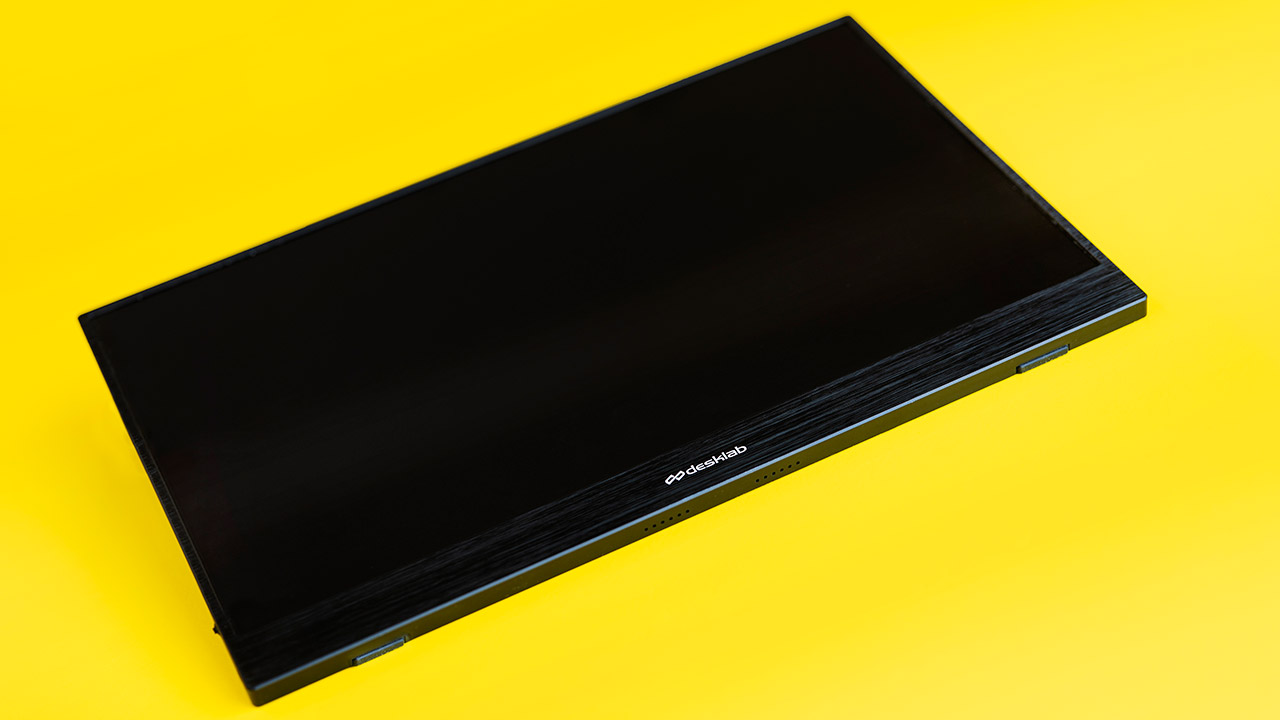
The monitor has a viewable area that is 15.6″ across and the unit itself is almost 36cm wide (14″) by 22cm (8.5″) tall with fairly thin bezels on three of its sides. The Desklab is very thin – only 1 cm (less than 0.5″) at its thickest part and is also very light at about 725 grams (or around 1.6 lbs).
On the right side, there are four ports – a micro USB for connecting accessories such as a keyboard/mouse, etc. Two USB-C connectors for data and power and a mini HDMI port (which is better although far less common than the micro version. A full-size HDMI would be even better although it would require a thicker frame).
On the left side, there is a power button, a 3.5mm headphone jack, and a small clickable scroll wheel for changing the menus (we would prefer more traditional keys here). The bottom of the unit has two speakers and the back has the Desklab logo on a very nice dark textured finish. The back also has a notch to support the optional stand.
Use cases
Besides some of the obvious things that you can do with this kind of touch monitor such as a second screen for general productivity work, using it larger screen for your Smartphone, gaming and watching Netflix videos etc., there are quite a few photos and especially video related applications that such a monitor can provide and that we have tested.
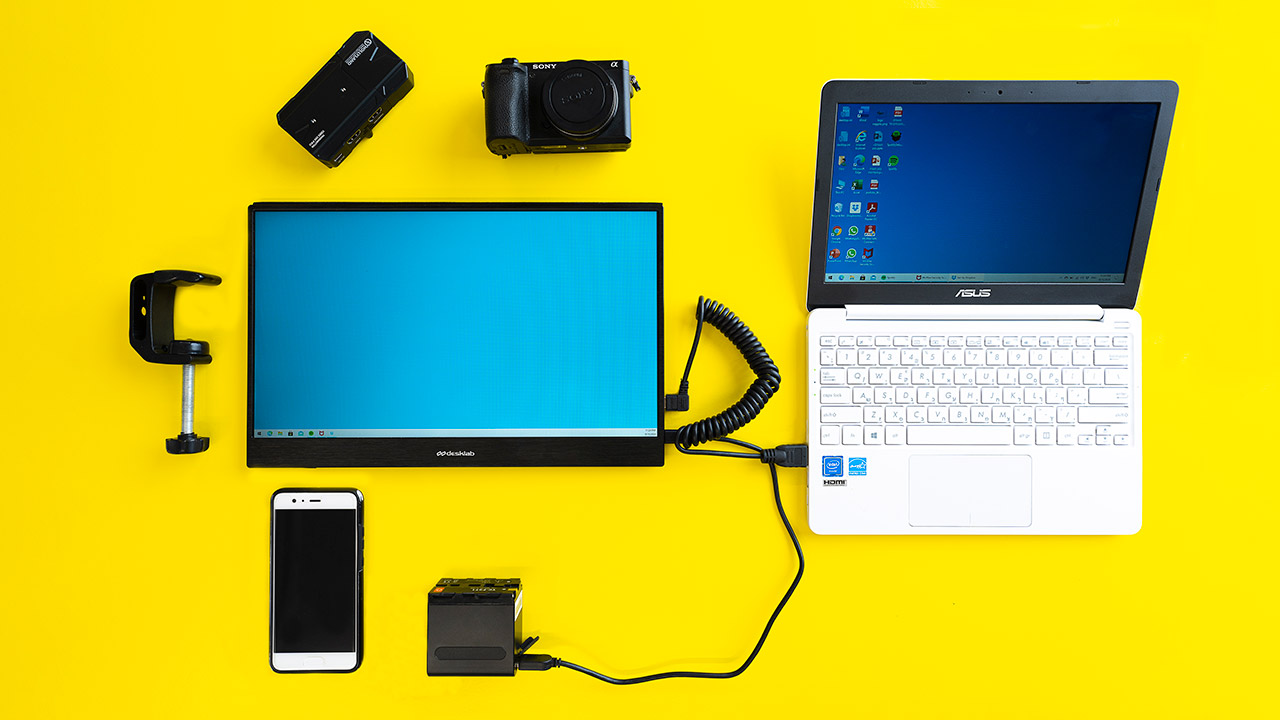
One use for it is as a secondary larger monitor for stills and video shooting. Although it doesn’t support any monitoring tools (which is why you might need to loop it to a more conventional 5″ or 7″ monitor), being much larger it can help with both composition and focus and can also be used as a director’s monitor if rigged properly.
When it comes to sharpness, even our 1080p Desklab looked good, so we can only imagine how sharp the 4K version can be. When we compared the Desklab to our Portkeys BM5 monitor we noticed that the Desklab had way narrower viewing angle, the colors were not very accurate and the maximum brightness was way lower than the BM5 (but that monitor has 2000 nits of brightness so this isn’t a fair comparison).
All in all, this display was not designed with professional monitoring in mind but you can still use it as a secondary display in a number of practical scenarios.
We rigged the Desklab with the clamp (on the left) and put it on a light stand
One thing that you can’t do at the moment (but you might be able to do in the future) is use the touch capability of the monitor to control the camera’s touch focus feature. We have already talked to Sony about adding this and although we are not sure if this is technically possible with current Sony cameras it could be a really nice addition.
Talking about the touch capabilities of the Desklab takes us to the second use case for this monitor as a secondary computer screen for content creators. We tested this application with several different PCs and it has some limitations. We needed separate power and data cables (HDMI and USB-C, although it theory if your computer’s USB-C has a power delivery mode with HDMI support it might be able to work with a single cable), the touch capability had some issues especially when extending the screen on Windows 10.
Connections on the right side

Conclusion
TheDesklabis a very attractive offer for anybody looking for a large, light, and thin portable monitor with touch capabilities. For photographers and content creators especially, this can be useful in a lot of scenarios both when shooting and during post-production as well as for general work on the go.
The screen is really light and portable, solidly built with lots of connections and decent sharpness and brightness for indoor use.
When it comes to drawbacks – we are not big fans of the optional magnetic stand and for photographers finding a bracket that’s big enough with a 1/4″ 20 is going to be hard (we did find a sort of a workaround which did the job for us but it’s not ideal).
Maybe the biggest issue aside from mounting the screen is the lack of an internal battery. This means that you will always need to power the unit from AC/computer or a hefty power bank (normal one for the 1080p version or a PD supported one for the 4K version). For desk work, this isn’t an issue but if you move around a lot it can get a bit more complex.
The touch features from our experience are also a hit and miss kind of thing, not so much because of Desklab but more because of poor OS implementation which we could only hope will improve over time.
Pricing
As for pricing, the 1080p version which we have used currently sells for $300 while the 4K version goes for $400.
You can check out more LensVid exclusive articles and reviews on the following link.



You can support LensVid by shopping with our affiliate partners
Affiliates: Amazon, B&H, Adorama and E-bay.
Why should you trust us?
BEWARE. I would rate this screen if I could actually get it. I ordered 7 months ago and still waiting. Customer service won’t respond to my messages anymore. The reason there are so many 5 star reviews on their website is because your rating must be approved before they post it and in my experience if it doesn’t have 5 stars they don’t post it. If you buy this all you are doing is giving them your money and buying yourself a headache.
Do not buy this product….it takes months to show up. then it has no stand or option to stand up for viewiing. The magnetic stand they sell does not work with the 4k, I ordered the stand/cover in July and it showed up in november with 3m adhesive strips to allow it to “connect” with screen. I ordered a Lepow as a replacement that showed up in 3 days…
So I’ve had my monitor for less than 2 weeks after waiting nearly a month to receive it. The first day I opened it I noticed that the monitor was restart everytime I tried to take it above a brightness level of 8. This problem persisted and I contacted support within 5 days of receiving the device. Support requested multiple images and videos to prove that there was an issue which I provided. After a few days of going back and forth with support I noticed a thin black line showing on the bottom of the monitor. This was reported to support and I determined I did not want this monitor as it has too many issues and a refund would be requested.
Support got back to me and said they would only replace the device and not refund my money because we were out of the 7 day (insane) return window, however when I first contacted them we were within that window. Since that time the screen has gotten to the point it is completely unusable and they refuse to return my money. The screen now just shows a ghosted image of whatever window is open and a bunch of black bars across the entire display…as well as what looks like an ink blot in the middle of the display.
I am sure Desklab will moderate this review and not allow it to be posted as they have no guts and are terrible. I will continue to denounce the name and products of this company until a time in which they refund my money.
My 4K monitor took months to arrive. When it did in July 2020, it never worked correctly, with fluctuating light and streaks all across the screen. I wrote to them repeatedly and they did nothing. I put it aside until the fall, when I was going to spend the winter away from my home and thought I might find it useful with my laptop. Again, very bad performance with constant streaks that would clear up then reappear. I began writing to them again in December 2020. After 3 weeks of correspondence, they finally agreed to “repair or replace it.” I sent it to them on Jan. 7, 2021. Today is March 7th and they still have not returned my monitor to me, and all I get is a runaround from a “customer service” rep named Lalaine. What a big waste of money.
Scam. Filing a class action lawsuit against Desklab.
+ Ordered 4K monitor on Wed, Apr 1, 2020
+ Item received on Thu, Jul 30, 2020
+ Reported item malfunctioning beginning Thu, May 27, 2021
+ After DOZENS of emails back and forth with support repeating myself and sending a video of the malfunction, support sends shipping return label via email to me on Thu, Aug 12, 2021.
+ Mailed monitor in original packaging following day from Silicon Valley to Rockthorn LLC in Los Angeles.
+ Every week between Aug 13, 2021, and today (Nov. 24), I have sent an email to Desklab support for an update. Response from Lalaine at Desklab is always some variation of the following:
“We do not have an ETA for the returns yet as the test will be conducted together with other returned monitors. We have sent them a follow up to help expedite the process for your monitor.”
I would like to join in the class action lawsuit. This company is a total scam.
I bought 2 monitors and one of them did not work. I practically had to beg them to get a return address. They did NOT accept the return and did not refund me. I have been going back and forth with customer service, who has obviously been directed to not provide refunds under any circumstances. This company is a total scam.
It’s incredible how this company continues to operate!
I received mine recently and it does work as monitor for my PC, but I wanted it for my pixel 7a which it is not compatible with.
Their info is misleading and now I see so many negative comments, I wish I had done more research. Woof!
Apparently one can claim a refund via the bank which I intend to do.